 Michael Manganiello
0aa3fbbe1b
Michael Manganiello
0aa3fbbe1b
This is being added, because testing the latest `develop` version for
`fyne` fails with the following error:

```
ui/widgets/imageplaceholder.go:48:3: cannot use i.imageDisp (variable of type *TappableImage) as fyne.CanvasObject value in argument to container.NewMax: *TappableImage does not implement fyne.CanvasObject (missing method MinSize)
ui/widgets/nowplayingcard.go:51:33: cannot use n.cover (variable of type *TappableImage) as fyne.CanvasObject value in argument to container.NewBorder: *TappableImage does not implement fyne.CanvasObject (missing method MinSize)
ui/widgets/tappablewrappers.go:64:21: cannot use t (variable of type *TappableImage) as fyne.Widget value in argument to t.ExtendBaseWidget: *TappableImage does not implement fyne.Widget (missing method MinSize)
```



Supersonic



A lightweight cross-platform desktop client for Subsonic music servers (Navidrome, Gonic, Airsonic, etc).
Jump to installation instructions
Screenshots
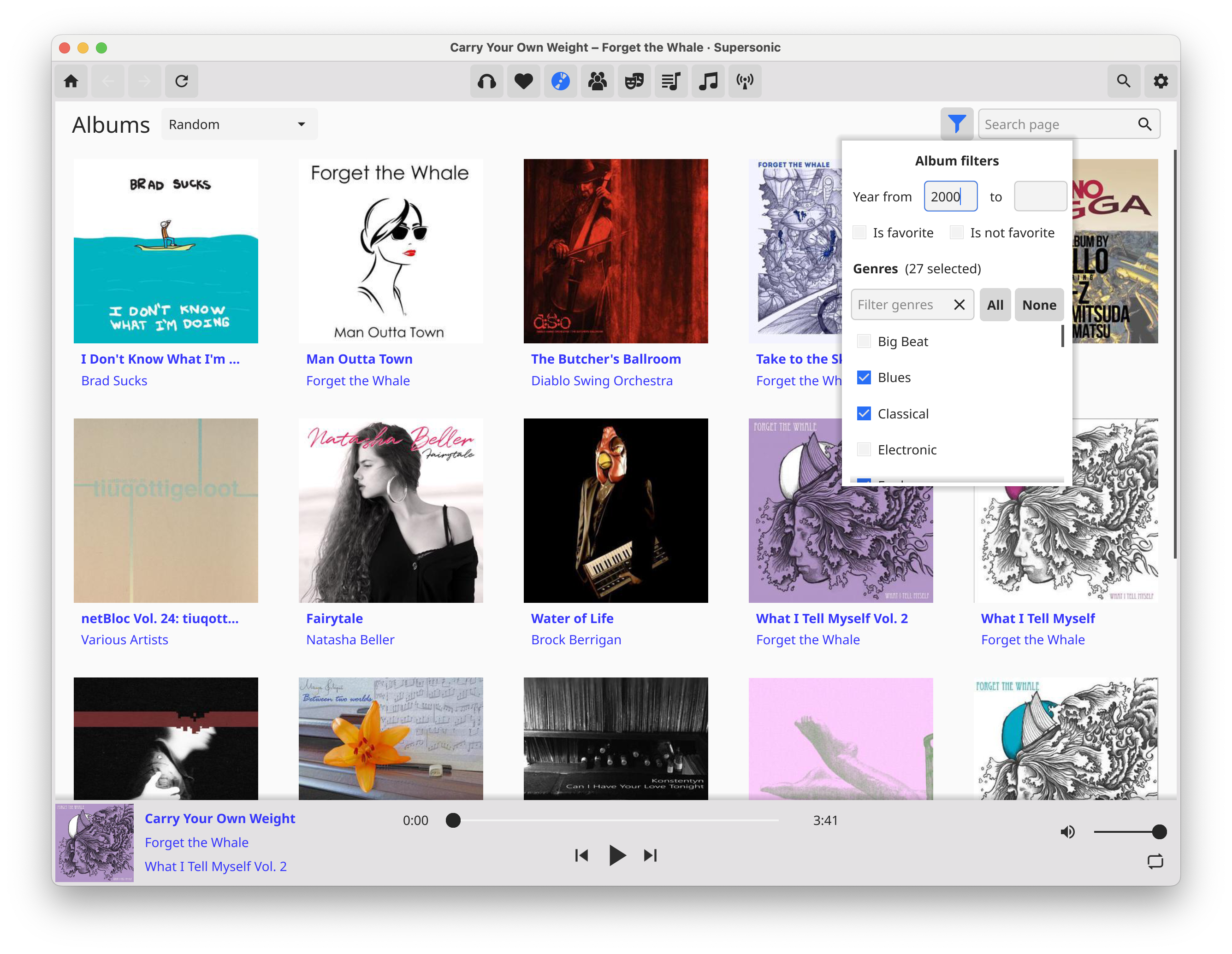
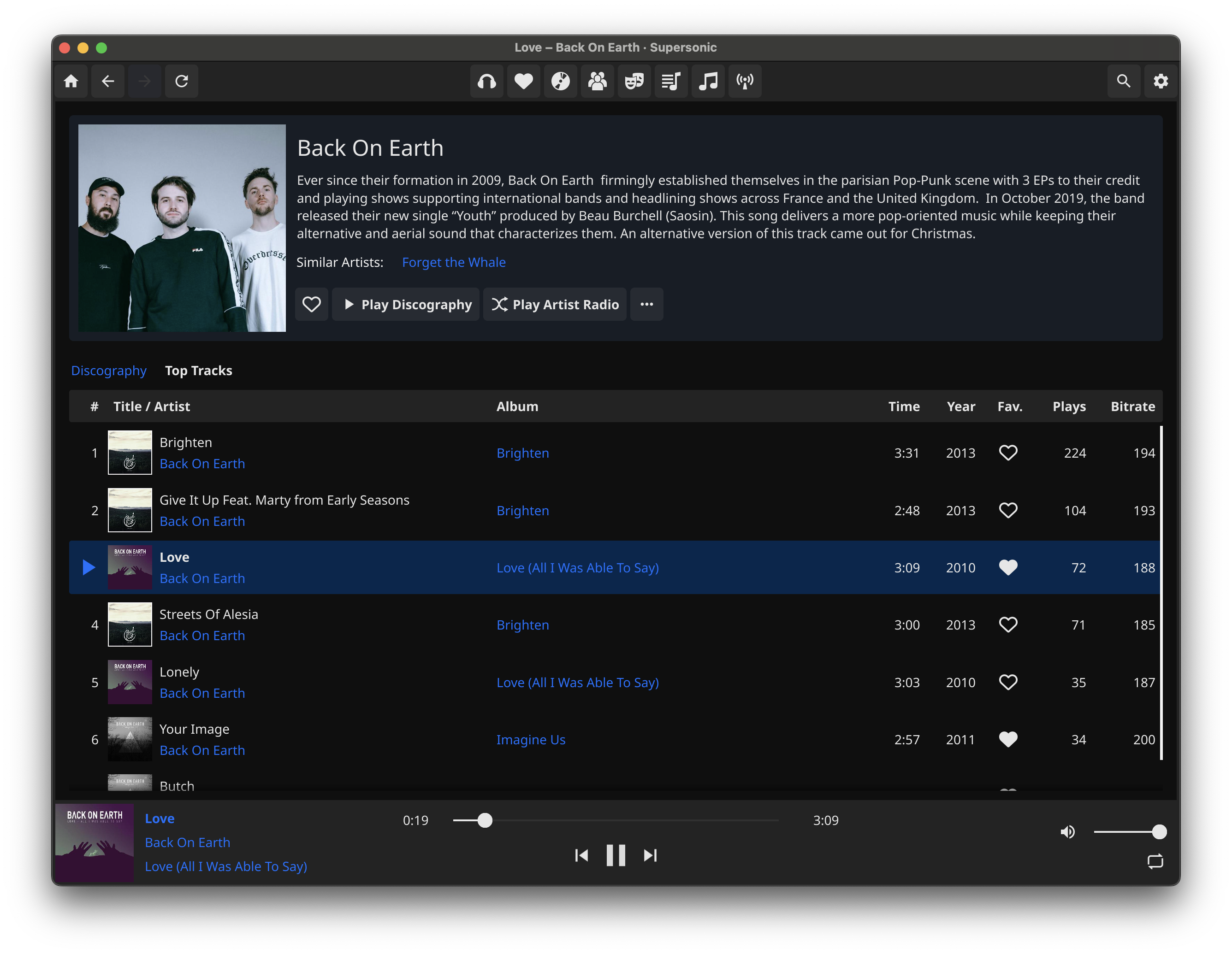
Screenshots of Supersonic running against the Navidrome demo server


Features
- Fast, lightweight, native UI with infinite scrolling
- Light and Dark themes, with optional auto theme switching
- High-quality gapless audio playback powered by MPV, with optional audio exclusive mode
- ReplayGain support (depends on files being tagged on server)
- Built-in 15-band graphic equalizer
- Scrobble plays to server, with configurable criteria
- Add and switch between multiple servers
- Primary and alternate server hostnames, e.g. for internal and external URLs
- Browse by albums, artists, genres, playlists
- Set filters in albums browsing view
- Album and playlist views with tracklist and cover image
- Artist view with biography, image, similar artists, and discography
- Play "artist radio" (mix of songs from given artist and similar artists, depends on your server's support)
- Create, play, and update playlists
- Sort tracklist views by column and configure visible tracklist columns
- Set/unset favorite and browse by favorite albums, artists, and songs
- Set and view track rating (0-5 stars)
- Download songs, albums or playlists (planned)
- View and edit play queue (add and remove tracks; reorder support coming soon)
- Shuffle and repeat playback modes (partial; shuffle album, playlist, artist radio, random songs; repeat all)
- Browse by folders (planned)
- Cast to uPnP/DLNA devices (likely planned)
- Offline mode (eventually planned)
- Lyrics support (eventually planned)
- iOS/Android support (maybe eventually planned)
Installation
On Linux, Supersonic is available as a Flatpak! (Thank you @anarcat!) If you prefer to directly install the release build, or build from source, read below.
If you are running Windows, Mac OS, or a Debian-based Linux distro, download the latest release for your operating system. If you prefer to build from source, or are not running one of these OSes, then see the build instructions for your platform below.
Apple Silicon (M1/M2) Macs: There is currently only an x64 release build offered. The x64 release will run on M1/M2 Macs via Rosetta, but there is currently a bug where resizing the window will cause the app to crash. The release build is not officially supported and it is recommended to build from source if you have a M1/M2 Mac. (And I'm looking for volunteers to build on M1 Macs and upload the binaries when I push releases!) If you run the release build via Rosetta, you will have to remove the "quarantine bit" that Mac will automatically set, being an application downloaded from the internet. After copying the .app bundle to your Applications folder, in the terminal run sudo xattr -r -d com.apple.quarantine /Applications/Supersonic.app
If you are on Linux you must have libmpv installed on your system. On apt-based systems, run sudo apt install libmpv1 if it is not already installed. The Windows and Mac release builds bundle the mpv dependencies.
Build instructions (Linux)
Ubuntu dependencies
sudo snap install --classic go, and make sure the Go bin directory is in your$PATHsudo apt install libmpv-dev gcc libegl1-mesa-dev xorg-dev
Fedora dependencies
sudo dnf install golang mpv-devel libX11-devel libXcursor-devel libXrandr-devel libXinerama-devel libXi-devel libglvnd-devel libXxf86vm-devel
Build
- clone the repo, CD into the repo root, and run
go build . - (note that the first build will take some time as it will download and build the UI library)
Generate installable .tar.xz bundle
- install the
fynepackaging toolgo install fyne.io/fyne/v2/cmd/fyne@latest - run
make package_linux
Build instructions (Arch Linux)
Supersonic is available in the AUR and can be built either manually with makepkg or with an AUR helper like yay. (Please contact package maintainer @dusnm for any issues with the AUR package.)
Build manually
- Make sure you have the base-devel package group installed on your system
sudo pacman -S --needed base-devel
- Clone the AUR repository and navigate into the cloned directory
git clone https://aur.archlinux.org/supersonic-desktop.git && cd supersonic-desktop
- Build the package with makepkg
makepkg -si
Build with an AUR helper
- Invoke your favorite AUR helper to automatically build the package
yay -S supersonic-desktop
Build instructions (Mac OS)
Install dependencies
- install go, and make sure the Go bin directory is in your
$PATHbrew install goexport PATH="/Users/<yourname>/go/bin:$PATH"
- install the
fynepackaging toolgo install fyne.io/fyne/v2/cmd/fyne@latest - install Xcode command-line tools (
xcode-select --install) - install libmpv (
brew install mpv) - install dylibbundler (
brew install dylibbundler) - needed only the bundledeps step, see below
Build
-
Make sure header and library include paths include the dir in which homebrew installs headers/dylibs (may differ dep. on OS/Homebrew version)
export C_INCLUDE_PATH=/opt/homebrew/include:$C_INCLUDE_PATHexport LIBRARY_PATH=/opt/homebrew/lib:$LIBRARY_PATH
-
clone the repo, CD into the repo root, and run
go build . -
(note that the first build will take some time as it will download and build the UI library)
-
run
make package_macosto generate the .app bundle -
If you are on Mac OS High Sierra through Catalina, run
make bundledeps_macos_highsierraand you are done! Otherwise, continue reaading. -
At this point, the Supersonic.app bundle can be copied to Applications and it will run on your machine, but it depends on the brew installation of mpv
-
To copy the dependencies into the app bundle, and make it truly portable, run
make bundledeps_macos
Build instructions (Windows)
Install dependencies
- install go (https://go.dev/doc/install)
- install MSYS2 and the required packages for the Fyne toolkit (follow instructions for Windows at https://developer.fyne.io/started/)
- install libmpv (in the MSYS2 terminal,
pacman -S mingw-w64-x86_64-mpv)
Build
- in the MSYS2 terminal: clone the repo, CD into the repo root, and run
go build . - (note that the first build will take some time as it will download and build the UI library)
- Note: The .exe dynamically links to MSYS2 libmpv dependency dlls and must be started from the MSYS2 terminal, or all dependency DLLS must be copied to the same folder as the .exe
- -> If you obtain a statically built mpv-2.dll (containing all its dependencies), and rename it to libmpv-2.dll, you can place just that DLL in the same directory as the EXE, and it should run
- Improvements to Windows build process will be forthcoming