
Supersonic
A lightweight cross-platform desktop client for Subsonic music servers (Navidrome, Gonic, Airsonic, etc).
Jump to installation instructions
Screenshots
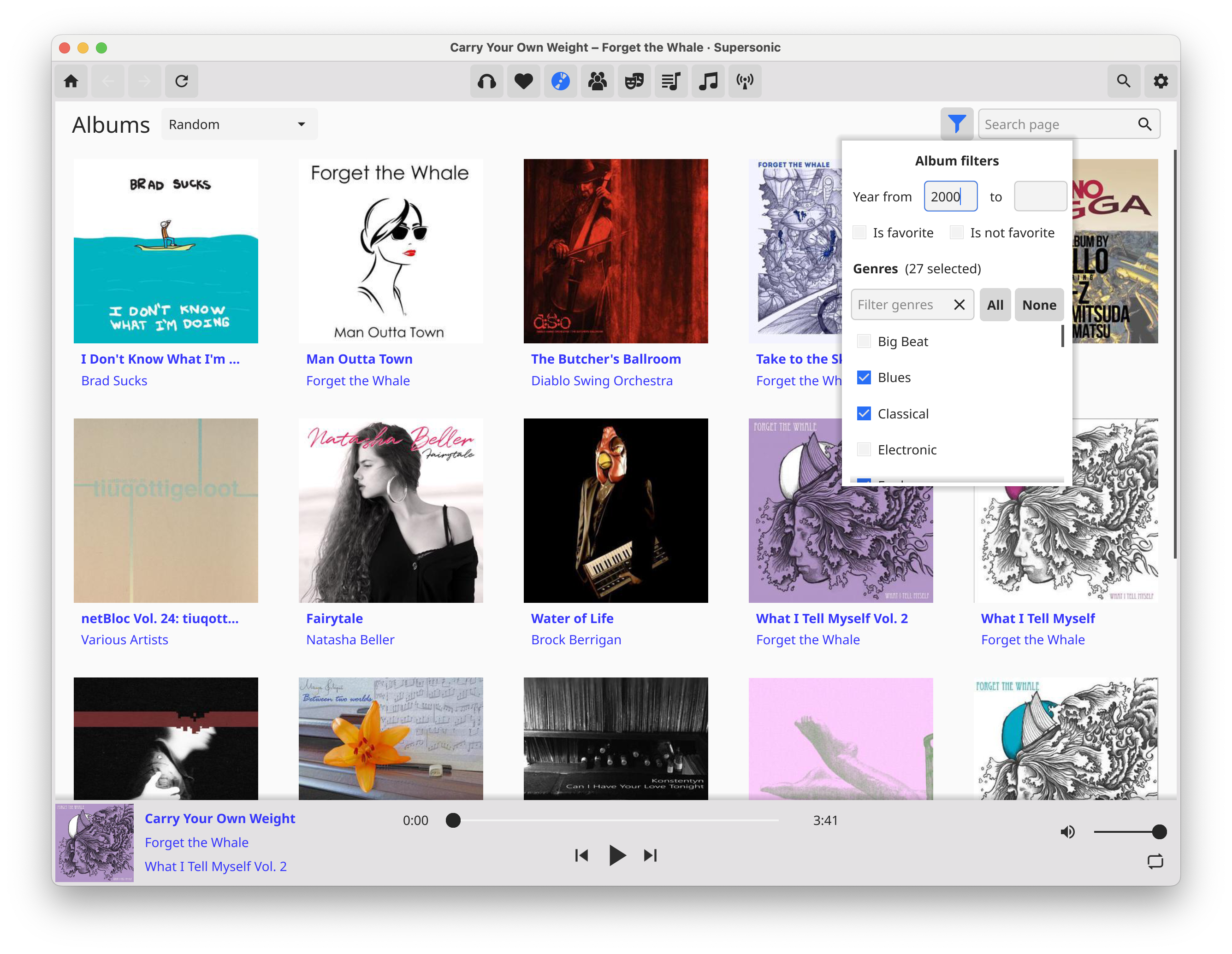

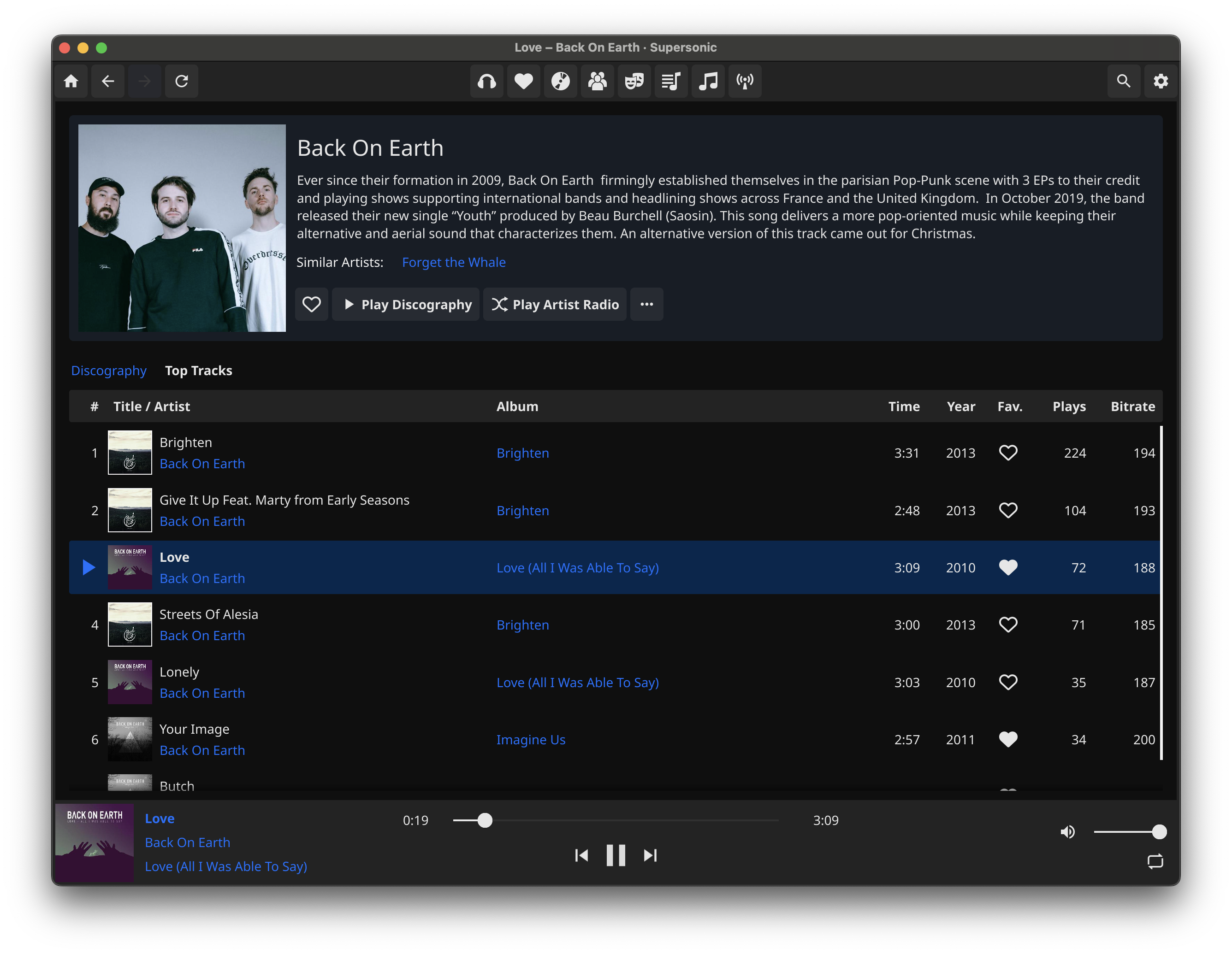

Features
- Fast, lightweight, native UI
- High-quality gapless audio playback powered by MPV
- Infinite scrolling
- Scrobble plays to server
- Browse by albums, artists, genres, playlists
- Album and playlist views with tracklist and cover image
- Artist view with biography, image, similar artists, and discography
- Create, play, and update playlists
- Configure visible tracklist columns
- Set/unset favorite and browse by favorite albums, artists, and songs
- View and edit play queue (add and remove tracks; reorder support coming soon)
- Shuffle and repeat playback modes (partial; shuffle album, playlist, artist radio, random songs)
- Set and view five-star rating (planned)
- Set filters in albums browsing view (planned)
- Browse by folders (planned)
- Multi-server support (planned)
- Download album or playlist (planned)
- ReplayGain audio normalization support (planned, depending on files being ReplayGain tagged on server)
- Cast to uPnP/DLNA devices (likely planned)
- Built-in multi-band equalizer (eventully planned)
- Offline mode (eventually planned)
- iOS/Android support (eventually planned)
- Lyrics support (eventually planned)
Installation
Download the latest release for your operating system. If you prefer to build from source, or there is no release build currently offered for your OS/architecture (Apple silicon Macs), then see the build instructions for your platform below.
If you are on Linux you must have libmpv installed on your system. On apt-based systems, run sudo apt install libmpv-dev if it is not already installed. The Windows and Mac release builds bundle the mpv dependencies.
Build instructions (Ubuntu)
Install dependencies
sudo snap install --classic go, and make sure the Go bin directory is in your$PATH- install the
fynepackaging toolgo install fyne.io/fyne/v2/cmd/fyne@latest sudo apt install libmpv-devsudo apt install gcc libegl1-mesa-dev xorg-dev
Build
- clone the repo, CD into the repo root, and run
go build . - (note that the first build will take some time as it will download and build the UI library)
- run
make package_linuxto generate an installable .tar.xz bundle
Build instructions (Mac OS)
Install dependencies
- install go, and make sure the Go bin directory is in your
$PATH - install the
fynepackaging toolgo install fyne.io/fyne/v2/cmd/fyne@latest - install Xcode command-line tools (
xcode-select --install) - install libmpv (
brew install mpv) - install dylibbundler (
brew install dylibbundler) - needed only for building the .app bundle
Build
-
Make sure header and library include paths include the dir in which homebrew installs headers/dylibs (may differ dep. on OS/Homebrew version)
export C_INCLUDE_PATH=/opt/homebrew/include:$C_INCLUDE_PATHexport LIBRARY_PATH=/opt/homebrew/lib:$LIBRARY_PATH
-
clone the repo, CD into the repo root, and run
go build . -
(note that the first build will take some time as it will download and build the UI library)
-
run
make package_macosto generate the .app bundle
Build instructions (Windows)
Install dependencies
- install go (https://go.dev/doc/install)
- install MSYS2 and the required packages for the Fyne toolkit (follow instructions for Windows at https://developer.fyne.io/started/)
- install libmpv (in the MSYS2 terminal,
pacman -S mingw-w64-x86_64-mpv)
Build
- in the MSYS2 terminal: clone the repo, CD into the repo root, and run
go build . - (note that the first build will take some time as it will download and build the UI library)
- Note: The .exe dynamically links to MSYS2 libmpv dependency dlls and must be started from the MSYS2 terminal, or all dependency DLLS must be copied to the same folder as the .exe
- -> If you obtain a statically built mpv-2.dll (containing all its dependencies), and rename it to libmpv-2.dll, you can place just that DLL in the same directory as the EXE, and it should run
- Improvements to Windows build process will be forthcoming